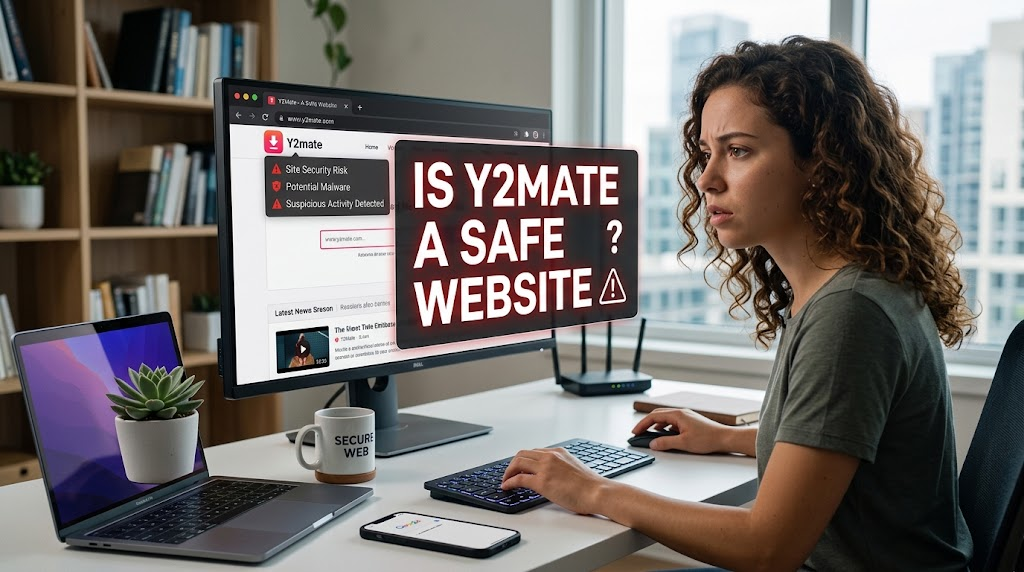
Have you ever watched a great video online and wished you could keep it on your computer or phone forever? Is Y2Mate a Safe Website Many people feel that way. When searching for an easy way to save videos, you have likely run into a popular tool called Y2Mate. It promises to let you download almost any clip with just a quick click and a pasted link. But before you paste that web address and hit the download button, you might wonder: is Y2Mate a safe website? This is a very smart question to ask. The internet can be a tricky place, and not every popular tool cares about your online safety. In this guide, we will break down everything you need to know about this downloader in simple terms. We will look at how it works, the hidden dangers hiding behind those download buttons, and how you can protect your devices from nasty surprises. Let’s dive in and find out the truth.
What Is Y2Mate and How Does It Work?
To understand the safety of any tool, you first need to know what it actually does. Y2Mate is a free online video downloader and converter service. Millions of people use platforms like YouTube every single day to watch tutorials, music videos, and funny clips. However, these platforms generally do not offer a direct offline download button for everyday use. That is where third-party websites step in. When you copy a video link from a hosting site and paste it into Y2Mate, the website processes the URL. It quickly converts the video stream into a downloadable file format, such as MP4 for video or MP3 for audio. The process takes only a few seconds, which is why it attracts so much traffic. You do not need to install heavy software on your computer, and you do not need to pay a single penny. It feels like magic, but behind that simple interface, a lot of automated background scripts are running to fetch and convert your requested media files instantly.
The Hidden Dangers of Free Online Converters
While a free video converter sounds wonderful on paper, there is almost always a hidden catch. Free websites have to pay their hosting bills and make a profit somehow. Since they do not charge users money, they rely heavily on aggressive advertising networks. When you visit a site like Y2Mate, you are entering a digital space filled with pop-up windows, flashing banners, and redirect links. If you accidentally click the wrong spot on the screen, a new browser tab might open instantly. These unexpected tabs often take you to sketchy third-party pages. Some of these pages try to trick you into downloading fake software updates, suspicious browser extensions, or even malicious files disguised as helpful utilities. Furthermore, these sites operate in a legal gray area because downloading copyrighted material without permission often breaks terms of service. Security experts frequently warn that relying on unverified web tools opens the door to annoying adware that can slow down your browser and ruin your daily internet experience.
Can Y2Mate Infect Your Computer with Malware?
One of the biggest worries people have is whether using this downloader will give their computer a virus. The short answer is that the website itself might not directly attack your device, but the ads and pop-ups it hosts certainly can. When you click download, the site often opens multiple background windows before your actual video file finally starts downloading. Cybercriminals frequently buy ad space on high-traffic converter sites to spread malware, spyware, and adware. If you click a malicious pop-up, you might accidentally install software that tracks your browsing habits or floods your screen with unwanted ads. Mac and PC users alike have reported strange browser behavior after visiting conversion platforms. While good antivirus software can catch many of these threats, prevention is always better than cure. If your browser starts opening random tabs on its own or your computer fan starts running loudly for no reason, a sketchy download link might be the culprit behind the sudden performance drop.
Why Pop-Up Ads Make the Site Risky to Use
Let us talk more about those annoying pop-up ads because they are the number one threat on sites like this. Have you ever tried to click a button, only for the entire page to shift and open a totally different website? That is a classic trick used by shady advertising networks. On video conversion platforms, these pop-ups are designed to look like official system alerts or download triggers. They might flash warning messages telling you that your computer is infected and you need to download a specific cleaner right away. This is a common scare tactic. The website is completely fine until you click that fake alert. Once clicked, you might invite unwanted software onto your device. Because these ads change constantly, even reputable ad-blockers sometimes miss a few new tricks. Protecting yourself means staying alert, never clicking on random flashing boxes, and closing out any sudden new tabs immediately without reading what they say.
Understanding Copyright and Legal Concerns
Safety is not just about computer viruses; it also involves following the rules and respecting creators. Content creators spend hours, days, or even weeks filming, editing, and producing the videos we love to watch. When you use tools to download their content offline without permission, you bypass their platform’s ecosystem. Many hosting sites rely on views and ads to pay the creators for their hard work. Furthermore, downloading copyrighted material without authorization violates terms of service agreements. While casual personal use rarely leads to personal legal trouble for everyday viewers, hosting or redistributing that downloaded content is a serious violation. Respecting digital rights helps keep your favorite creators producing amazing work. If you want to support a creator, watching their videos directly on their official channel, leaving a like, or subscribing is always the best path forward.
Safer Alternatives to Online Downloaders
If you want to keep your devices safe from malware and pop-ups, you should look at safer alternatives. Many official streaming platforms now offer built-in legal offline viewing features through their mobile apps. For example, subscription services let you download content securely directly inside the app so you can watch your favorite shows during a long flight or road trip without needing an internet connection. Another great option is utilizing official embedding features or sharing links with friends instead of saving local copies on your hard drive. If you are a creator looking for media to use in your own projects, you can explore royalty-free stock video libraries and Creative Commons platforms. These legal resources provide safe, high-quality files without any risk of computer viruses, sketchy pop-ups, or copyright strikes. Choosing safe methods gives you total peace of mind every single time.
Essential Cybersecurity Tips for Safe Browsing
Navigating the internet safely requires a few smart habits, especially when visiting high-risk websites. First, make sure you have a reliable, up-to-date web browser that blocks malicious sites automatically. Browsers like Google Chrome and Mozilla Firefox have built-in safety features that warn you before loading dangerous web pages. Second, always keep your operating system and security software updated. Antivirus programs act like a digital shield against unexpected malware downloads. Third, use a trusted ad-blocker extension to cut down on dangerous pop-ups and malicious redirects. Fourth, practice digital caution: if a button looks strange or promises something that feels too good to be true, do not click it. By combining good security tools with a healthy dose of skepticism, you can keep your personal devices clean, fast, and protected from online threats.
What the Community Says About Y2Mate
If you search online forums, social media platforms, and tech review boards, you will find a wide mix of opinions about this popular video tool. Many everyday users claim they have used the site for years without running into major issues. They praise its speed, simplicity, and the fact that it works right inside a web browser without requiring complicated installations. On the flip side, cybersecurity experts and experienced tech support workers strongly advise against using it. They point out that even if your device avoids a major virus, the constant barrage of malicious ads makes the site too risky for casual users. Reading these real-world experiences helps paint a clearer picture. It shows that while the tool might function as advertised for converting a file, the hidden side effects and security risks make it a gamble that is simply not worth taking.
Conclusion
Deciding whether to use a tool like Y2Mate comes down to weighing convenience against security. While it offers a quick way to grab a video file, the risks involving malware, aggressive pop-up ads, and copyright concerns are very real. Your digital safety and the health of your computer are far more valuable than a quick downloaded clip. By staying informed about how these websites operate, recognizing the warning signs of sketchy ads, and utilizing official platform features, you can enjoy digital media safely. Always prioritize caution over convenience when surfing unfamiliar corners of the web. Taking a few extra seconds to think before you click can save you hours of frustration and keep your personal devices running smoothly for years to come.
Frequently Asked Questions
Is Y2Mate completely free to use?
Yes, the website does not charge users money to convert or download videos. However, they make their money through advertising, which is why you see so many pop-ups and banner ads on the page.
Can visiting Y2Mate give my phone a virus?
The site itself rarely installs a virus automatically, but the sketchy ads and pop-ups it hosts can trick you into downloading malicious software or visiting dangerous phishing websites on your mobile device.
Is it legal to download videos from YouTube?
Downloading copyrighted videos without explicit permission from the creator or the platform generally violates their terms of service, though casual personal viewing is common.
What are the best signs that a pop-up ad is dangerous?
If a pop-up claims your computer is infected with multiple viruses, urges you to download an unknown cleaner, or opens a new tab without your permission, it is almost certainly a dangerous ad.
Do ad-blockers protect you fully on converter websites?
Ad-blockers help significantly by stopping many malicious pop-ups and redirects, but they are not 100 percent foolproof against every new trick used by aggressive advertising networks.
What is a safer alternative to using online converters?
Using official offline download features inside authorized streaming apps or exploring royalty-free stock media websites are much safer, legal ways to access content without risks.